Lesson 10 of 10 · Chapter 10
Being a Good Neighbor Online
The internet is part of your community too. In this lesson you learn what digital citizenship means, the three-question check of respect, safety and truth, how to protect privacy, how to stay safe online, and how to spread kindness and good ideas.
Choose how you want to learn
You can change this any time. Press Listen on any part to hear it read aloud. Grown-ups: read along with younger children.
- 1 · An online neighborhood
- 2 · Respect, safety, truth
- 3 · Privacy
- 4 · Staying safe
- 5 · Kindness and good ideas
- 6 · The whole chapter
- 7 · Try it at home
- 8 · Your card
- 9 · Check yourself
Part 1
The internet is a neighborhood too
The internet is a shared space, like a giant online city.
What you post can affect real people, even when you are alone in your room.
Digital citizenship means being a good neighbor online.
After the clean-up, Maya and Jordan wanted to share their photos. But Maya remembered a stranger leaving a rude comment on her science project, like throwing a paper ball through the screen.
In a town, you don’t scream at strangers in the street or take things that aren’t yours. Online has rules too, but people forget them because they feel invisible.
Digital citizenship uses every skill from this class: rights and responsibilities (Lesson 2), truth detecting (Lesson 4), and arguing without shouting (Lesson 7). It isn’t about being afraid of the internet. It is about being in charge of yourself.
“Digital citizenship means being a good neighbor in the online world.”
“Online shouting is still shouting.”
“It was about being in charge of yourself while you used it.”
Part 2
Respect, safety, truth
Before you post, ask three questions.
Respect: Could this embarrass or hurt someone? Safety: Does it share private information? Truth: Is it accurate?
Online, it is easy to forget to pause. Pause anyway.
Respect means no name-calling, no embarrassing people for fun, and no piling on, when lots of people gang up on one person.
Safety means protecting personal information and being careful with rushed messages: “Click now,” “You won a prize.” Urgency is a trick.
Truth means checking facts and being honest yourself: not saying “everyone agrees” when you asked two friends, and not exaggerating. Jordan wrote “ten bags collected by volunteers,” not “we saved the entire town.”
“Respect. Safety. Truth.”
“Your online choices build your reputation the way your offline choices do.”
Which question catches the problem? Tap Respect, Safety or Truth for each post. Get all six to finish.
Part 3
Privacy: watch the background
Privacy means you control what information about you is shared, and with whom.
Some things are always private: your full name, address, phone number and passwords.
Tiny details in a photo can give away where you are.
Maya noticed a street sign and the library banner in the corner of her photo. Together they showed where the kids were. So she cropped them out. Hiding private details is not lying, as long as you don’t change what happened.
Sneaky clues include your school name, team jersey, bus stop, street signs, a view from your window, and patterns, like “I walk home at 3:10 every day.” That’s a schedule.
Protect other people’s information too. The petition pages stay with a trusted grown-up: never photographed, posted or shared in a group chat. Share specific details with leaders directly, by email, not with the whole internet.
“Privacy is often about the background.”
“Digital citizens protect other people’s information too.”
“Privacy was about protecting what matters, so you can keep doing good things for a long time.”
Private or OK to share? Tap the right answer for each one. Get all eight to finish.
Part 4
Staying safe online
Keep passwords private, even from best friends. A password is like a house key.
If someone you don’t know wants to chat privately, tell a trusted grown-up. Don’t keep it a secret.
If something feels wrong, get help. Safety matters more than being polite.
Five safety rules: keep passwords private; use strong passwords and two-step verification with a parent’s help; don’t share personal info in public posts; think before you post, because people can screenshot anything; and if something feels wrong, get help.
Nice is easy to pretend online, so use rules, not feelings. A stranger trying to move you into a private chat is a big red flag: tell a trusted adult, and block or report the account.
Group chats can spread rumors or pressure kids to be unkind. You are allowed to leave. Don’t forward screenshots or rumors, and tell an adult if it turns into bullying or unsafe talk. Ask: would I want my principal, my grandma, or my future self to see this?
“Secrets are where unsafe situations grow.”
“That’s why we use rules instead of vibes.”
“Safety matters more than politeness.”
Part 5
Spreading kindness and good ideas
You don’t have to answer every unkind comment.
If you do answer, do it once, calmly: thank, refocus, invite.
Be an upstander, not a bystander. Help in a safe way.
Someone commented, “Parents these days are lazy.” Maya wanted to snap back. Instead she wrote: “Thanks for caring about the park. We’re trying to keep shared spaces clean and welcoming. Please help by using trash cans and encouraging others to do the same.” Then a neighbor posted a thank-you. Kindness is contagious too.
An upstander doesn’t pile on or stay silent: say “Let’s keep this respectful,” support the person privately, report bullying, and don’t share mean posts. Never share to embarrass, even if someone “deserves it.”
Spread “how to help” more than “who to blame.” Give credit, invite people in, and treat people who disagree like teammates. Maya’s library post had a clear request and a respectful invitation, with no names and no signatures.
“Your goal is to help your community, not win the internet.”
“Blame posts can go viral, but help posts build communities.”
“They take care of it on purpose.”
Heat or light? Does each post make things angrier, or help people see and help? Get all seven to finish.
Part 6
Read the whole chapter
Here is all of Chapter 10, “Being a Good Neighbor Online”, exactly as the book tells it. Press Listen to hear it read aloud, or open it and read along.
Open Chapter 10 (about 29 minutes to read)
Part 7
Try it at home
Do these with your family. Tick each one when it is done.
Part 8
Your “Good Neighbor Online” card
Fill it in, then print it for the fridge. Nothing you type here leaves this device.
Good Neighbor Online
Global Sovereign University · Civic Literacy for Kids, lesson 10
Before you post
- Is it respectful?
- Is it safe?
- Is it true?
- Is the background private?
- Would I want my future self to see it?
- Does it help, not blame?
Part 9
Check yourself
7 questions. Pick an answer. If it is not right, read the hint and try again.
Lesson 10 complete.
You can explain digital citizenship, check a post for respect, safety and truth, protect your own and other people’s privacy, stay safe online, and spread kindness. That is the whole class! You have finished all ten lessons of Civic Literacy for Kids. Go back to the class to see your progress.
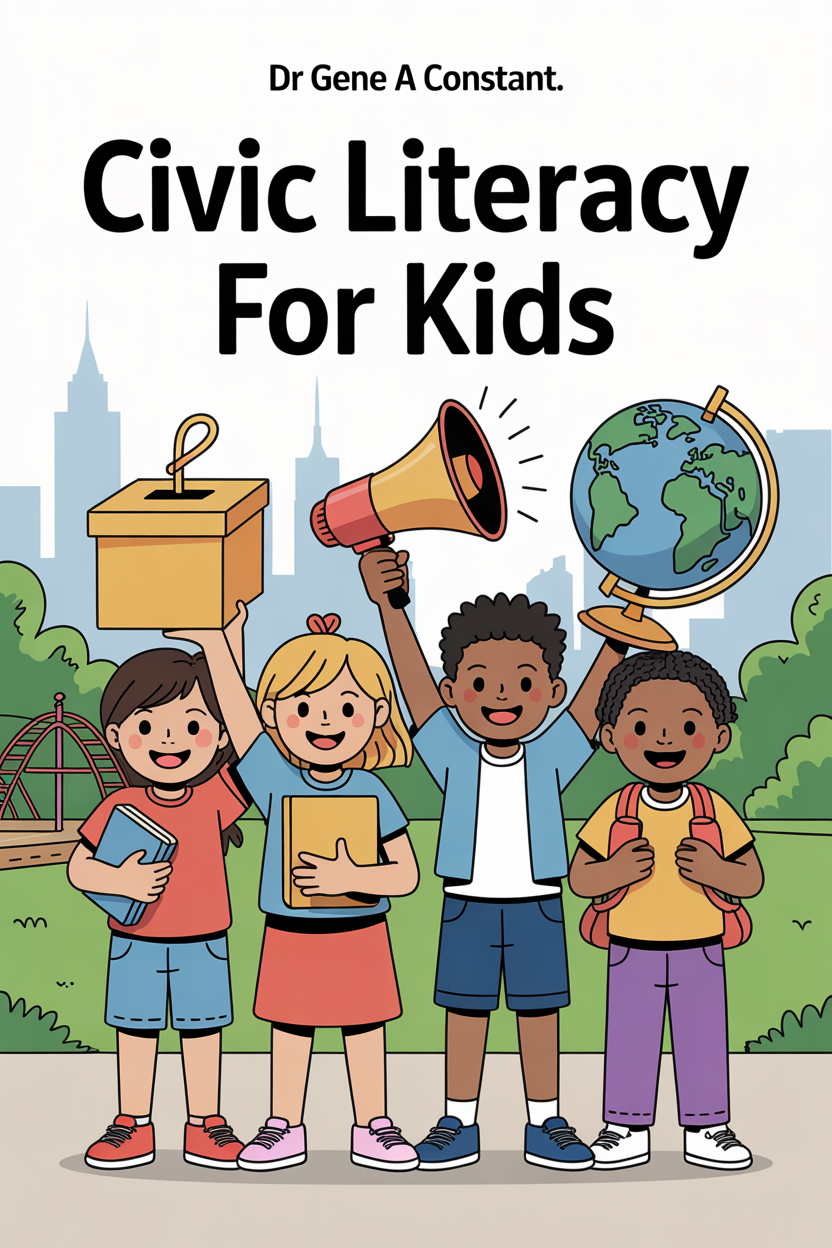
Civic Literacy for Kids by Dr. Gene A Constant. This lesson is chapter 10, and the whole chapter is on this page.
Keep a copy — it funds a free seat
GSU is a 501(c)(3) nonprofit and book sales are its only income. A purchase is not a tax-deductible donation. This lesson is free and always will be.