Lesson 15 of 20 · Chapter 15
Introduction to Artificial Intelligence
Artificial intelligence is not magic, not a mind, and not automatically truthful. It is software that finds patterns in data and uses them to predict, sort and produce text, pictures or answers. This lesson shows you how it learns, why it can sound certain and still be wrong, how to ask it for help, what never to paste into it, and where the line sits between help and deception.
Choose how you want to learn
You can change this any time. Every level does the same hands-on steps. Press Listen on any part to hear it read aloud.
- 1 · What AI really is
- 2 · Confident is not correct
- 3 · Ask it well
- 4 · What not to paste
- 5 · Leverage, not authority
- 6 · Do it on your device
- 7 · Your card
- 8 · Check yourself
Part 1
What AI really is: patterns, not a mind
AI is software that finds patterns in lots of examples and uses them to predict.
Old software follows rules, like a recipe. AI learns from examples, like learning to cook by tasting.
It is already in your life: the spam filter, bank fraud alerts, map routes, and your social media feed.
It only knows what it was shown. Bad examples teach bad habits.
Train a spam filter yourself below.
Traditional programs say “if this, then that”: if the password is wrong, deny access. Machine learning says “here are thousands of emails marked spam or not spam; learn what tends to be true.” It learns probabilities, not a fixed script, which makes it powerful and sometimes unpredictable.
Training shapes behavior. If the examples contain mistakes, bias or harmful patterns, the system learns those too. So when you hear “the AI decided”, translate it: a model trained on past data produced an output based on patterns.
Most AI is narrow: very good at one kind of task and blind outside it. Instead of asking “is it intelligent?”, ask “what task is it built for, and how does it fail?” That question replaces awe with analysis.
“Patterns. Data. Predictions. Outputs.”
“AI can be a tool, but it must not become your boss.”
Read the whole chapter free in the book reader.
Label the training emails, then see what your filter learned.
Part 2
Sounding confident is not the same as being right
AI chat tools write by predicting the next likely word, over and over, like a much bigger version of your phone’s predictive text.
Likely is not the same as true. AI can give a smooth, confident answer with a wrong date, a made-up rule, or a fake phone number.
Use it to: summarize, draft, brainstorm, rewrite politely, explain simply, make a checklist.
Do not rely on it alone for: legal or medical decisions, tax rules, whether a website or bank message is real, or whether a photo or video is genuine.
Build a sentence and judge three answers below.
Because AI writes what sounds likely, it can produce professional-sounding text containing errors, invented citations, incorrect dates or fake details. People call it hallucination; you just need the habit of checking.
Verify important claims through independent sources, exactly as you learned for web pages. Deadlines, amounts, eligibility rules and phone numbers get checked on the official site, reached your own way.
Treat AI like a powerful assistant, not an all-knowing authority. Its answers deserve the same calm troubleshooting you use for any tool: useful, and fallible.
“confidence is not accuracy”
“verify important claims through independent sources.”
Build a sentence the way AI does, then decide which answers to check.
Part 3
Ask it well: it drafts, you decide
The rule: AI can draft, summarize, organize and suggest. You decide, verify and submit.
Good uses: turn an angry draft into a calm email, explain an official letter in plain English, make a checklist, tutor you without judgment.
Ask clearly. Say its role, the task, your limits (length, tone, reading level) and the format you want.
For anything important, add: “Ask me any questions before you answer.”
Tell it not to invent anything. Build a prompt below.
You do not need jargon. A reliable pattern: Role (“Act like a career counselor”), Task (“Rewrite this email”), Constraints (“under 120 words, respectful, plain language”), Output format (“give me three options”). Asking for a “minimum effort” and a “best practice” version keeps you in charge.
For a job application: paste the job posting and your resume with personal details removed, and ask for three tailored bullet points, adding “do not invent any experience”. Then keep only what is accurate.
AI output is an editable draft, not final truth. If it adds dates, policy names or legal language you did not supply, remove them unless you have checked them. AI is not the skill. Judgment is the skill.
“AI can draft, summarize, organize, and suggest. You decide, verify, and submit.”
“AI is not the skill. Judgment is the skill.”
You want help with a thank-you email after a job interview. Add the pieces.
Part 4
What you paste may not stay private
Your chats with an AI tool may be stored, reviewed or used, depending on the tool and its settings.
Never paste Social Security numbers, account numbers, Medicare or claim numbers, passwords, or full medical records.
Replace details with placeholders: [my name], [claim number]. The AI can still help.
Do not paste your employer’s or a client’s private information unless your workplace allows it.
AI may suggest a phone number or link. Do not trust it; find the official one yourself. Redact a letter below.
Before pasting, ask three questions. Would I be comfortable seeing this on a screen in a public room? Who owns this information? Can I reach my goal with less exposure?
To understand a government notice, paste the confusing paragraph, not your address and claim number. To write a complaint, you do not need your whole medical history. You get the benefit without handing over the keys.
Privacy is also about your future self: a habit of pouring sensitive details into whatever tool is convenient builds a life that is easier to exploit later. Many tools have a setting to stop saving chats or using them for training; look for it.
“You can get the benefit without giving away the keys.”
“Keep the structure, remove the identifying details.”
Before you paste this into an AI tool, tap the details it does not need.
Part 5
Leverage, not authority: bias, work and honesty
AI trained on the past can repeat past unfairness, such as hiring or lending patterns that favored some people.
If an automated system denies you something important, ask for a human review and keep records.
AI will change many jobs. Your edge: judgment, care, context, and knowing how to check things.
Using AI to write more clearly is assistance. Using it to fake credentials, references or someone’s voice is deception.
Make the calls below.
Bias comes from biased training data, missing data (a system trained mostly on one kind of face, voice or writing works worse for everyone else), and biased goals. It is hard to argue with when it hides behind “the computer says so”. You are not being difficult when you ask for an appeal; a tool should not be judge and jury.
AI tends to take over language-heavy and routine tasks first: drafting, summarizing, sorting. The human role shifts toward context, empathy, negotiation, responsibility and deciding what matters. AI literacy and verification are becoming job skills in their own right.
At work, use AI openly and within policy. Never submit AI work you did not review, never let it invent facts, and never let it create a false record. Your name is still on the output.
“Use AI as leverage, not as authority.”
“Your name is still on the output.”
Assistance or deception? Make the call.
Part 6
Do it now, on your own device
Pick the device you use most. Do each task, then tick it. If your screen looks a little different, use the tip at the end of each task.
Part 7
Your “My AI Rules” card
Write down how you will use AI safely. Nothing you type here leaves this device.
My AI Rules
Global Sovereign University · Computer Literacy Unlocked, lesson 15
Before I use an AI answer
- Did I remove names, numbers and private details?
- Did I ask it not to invent anything?
- Is it high stakes (money, health, law)? Verify it.
- Phone number or link from AI? Find the official one myself.
- Is my name going on it? Then I read every word.
AI drafts, summarizes and suggests. I decide, verify and submit.
Part 8
Check yourself
Six real situations. Pick what you would do. You will see why after each one.
Lesson 15 complete.
You understand AI as pattern-finding software, not a mind; you know that a confident answer can be wrong; you can ask clearly and keep yourself in charge; you protect your private details; and you can tell helpful assistance from deception. Next: Digital Skills for the Workplace.
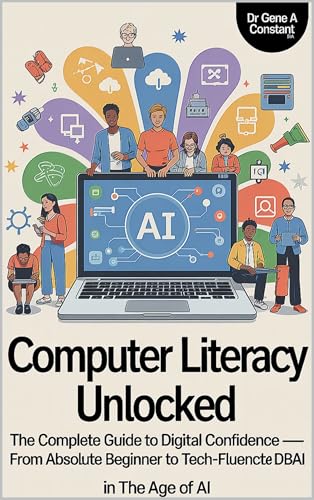
Computer Literacy Unlocked by Dr. Gene A Constant. This lesson comes from chapter fifteen. Read the whole book free in the reader, or keep a copy.
Buy a copy — it funds a free seat
GSU is a 501(c)(3) nonprofit and book sales are its only income. A purchase is not a tax-deductible donation. This lesson is free and always will be.