Lesson 17 of 20 · Chapter 17
Online Learning: Education on Your Own Terms
The internet has endless information; what most people lack is a way to turn it into skill. This lesson shows you where the good free learning is (starting with your library), how to build a plan that survives a bad week, the one habit that turns watching into ability, how to spot a course worth your time, and what to do when learning gets hard.
Choose how you want to learn
You can change this any time. Every level does the same hands-on steps. Press Listen on any part to hear it read aloud.
- 1 · Where to learn
- 2 · A plan that survives
- 3 · Learn, Do, Save
- 4 · Pick a good course
- 5 · When it gets hard
- 6 · Do it on your device
- 7 · Your card
- 8 · Check yourself
Part 1
Where to learn, for free or close to it
Your public library offers computers, printers, in-person help, and often free online courses. Ask: “Do we have free online learning subscriptions?”
At GSU: GENO is a patient tutor for specific questions, and BookGames are practice reps.
Microsoft and Google have free official training for their own tools.
YouTube is great for short how-tos if you search for exactly what you need. Coursera and edX offer university courses you can often audit free.
Community colleges, career centers and veteran employment offices run free or low-cost programs. Match some needs below.
If you do not have a computer at home, the library is not a lesser substitute. It is a practical bridge, and often calmer than learning on a phone. Many libraries give free access to paid platforms such as LinkedIn Learning.
Khan Academy suits structured beginner learning, including rebuilding comfort with numbers. On YouTube, search with intent (“how to sort and filter in Google Sheets”, not “Google Sheets tutorial”), keep one playlist of what you will actually watch, and do one action after each video.
Paid is not automatically a scam: a low-cost Udemy course can be worth it if it has recent updates, realistic reviews, a beginner section and practice files. Buy certificates only when they serve a real purpose. Skills first, proof second.
“evaluate sources, not just titles.”
“Skills first. Proof second.”
Read the whole chapter free in the book reader.
Seven learning needs. Where would you go first?
Part 2
A plan that survives a bad week
Start with one reason you can picture: apply for jobs without freezing, manage life online without fear, or help the kids with school tech.
Write success as tasks: “I can make a tracking sheet, sort it, and total it with SUM.”
Pick one lane for 2 to 4 weeks: workplace basics, digital life, or AI for everyday tasks.
The minimum viable week: three sessions, 20 to 30 minutes each, one small task each time.
Test two plans against a bad week below.
Broad wishes create broad frustration. “I want to be better with computers” cannot guide what you do tonight; “I can join a call on time, pick the right microphone, mute and unmute, and share one window” can.
A plan that only works when you are rested, excited and uninterrupted is a fantasy. Build it for your worst week: no marathons, no perfect focus, nothing to buy.
Set it up once: a Learning folder (Notes, Practice Files, Certificates, Screenshots), one “Learning Plan Next Steps” note with your lane and next three tasks, and three recurring calendar appointments you protect like any other.
“your plan must survive a bad week.”
“You are building consistency, not intensity.”
Pick a plan, then watch a bad week hit it.
Part 3
Learn, Do, Save: turn watching into skill
Every session has three steps.
Learn: a short lesson from a trusted source.
Do: do it right away on your own device.
Save: keep what you made in your Learning folder, with a clear name and date.
Watching ten tutorials and doing nothing builds nothing. Try the loop below.
Example, exporting to PDF: learn from a five-minute tutorial; do it by making a one-page document and exporting it; save it as “PDFExportPractice_2026-02-22” in your Learning folder.
The Save step is proof. Your evidence is the files you created, screenshots of finished steps, and the list of tasks you can now do without help. That proof keeps you going when feelings do not.
Stuck in the middle? Ask GENO or an AI tutor a specific question (“I tried to share a Drive link and it says access denied; what should I check?”), then do the steps yourself. AI can reduce friction, but it cannot build muscle memory for you.
“Learning without practice is entertainment. Practice without feedback is guessing.”
“Fix the system, not your worth.”
One evening. Run the loop, or just watch another video, and see what you have to show for it.
Part 4
Pick a course you will actually finish
A course is a promise. Check it before you commit.
Current? Updated recently, and looks like your screen.
Shows you? Demonstrations, not just talk.
Practice? Exercises, files, quizzes.
Who made it, and why? Official or recognized sources, no “expert overnight” hype. Fits you? Your device, your time. Judge three below.
An old course can still teach concepts, but its clicks may be wrong for today’s menus. Use it for ideas, and use your search and AI skills to translate the differences.
“Master Excel overnight” is urgency marketing, the same pressure trick you learned to resist in scams. A countdown timer on a course page is a warning, not a bargain.
Before committing more than a week, do a 20-minute tryout: skim the outline (is it written in tasks?), watch five minutes (can you follow?), do one small task and save it, and check the update date. Clearer, with evidence? Good sign. Lost, rushed or talked down to? Move on.
“A course is a promise.”
“You’re selecting a course you will actually finish.”
Three courses promise to teach you Excel. Which one gets your time?
Part 5
When it gets hard: systems, not motivation
Everyone hits a dip when the easy part is over. It is normal.
When the dip hits, narrow the goal. Do a smaller task. Do not quit, and do not pile on more.
Only 10 minutes? Rename five files, export one PDF, or sort one list. Small wins count.
Pick a finish line you can reach in 2 to 4 weeks, then move to the next lane.
Each week ask: what can I do now that I could not do two weeks ago, without looking it up? Try the dip below.
A missed session is not a diagnosis. Troubleshoot it like any glitch: was it too long, too vague, too late at night, or did you skip the Do step? Fix the system, not your worth.
Lower the start-up cost with a learning launchpad: your Learning folder one click away, your Next Steps note ready, passwords sorted, device charged. If it takes ten minutes to remember what to do, you will avoid the session.
Accountability does not have to be public: scheduled sessions, a checklist, a buddy who checks in weekly, or BookGames badges as a scoreboard. Progress is being able to find what you saved, recover calmly, pick up new tools by pattern, and produce reliable work.
“Motivation is not the engine. Systems are the engine.”
“When the dip hits, do not widen your goals. Narrow them.”
Week three: spreadsheets suddenly feel hard. What do you do?
Part 6
Do it now, on your own device
Pick the device you use most. Do each task, then tick it. If your screen looks a little different, use the tip at the end of each task.
Part 7
Your “My Learning Plan” card
Write down your plan for the next four weeks. Nothing you type here leaves this device.
My Learning Plan
Global Sovereign University · Computer Literacy Unlocked, lesson 17
Every session
- Learn: one short lesson from a trusted source.
- Do: the skill, on my own device, right now.
- Save: the result, named with the date, in my Learning folder.
- Stuck? Ask one specific question, then do it myself.
- Missed one? Fix the system, not my worth.
Weekly check: What can I do now that I couldn’t two weeks ago, without looking it up?
Part 8
Check yourself
Six real situations. Pick what you would do. You will see why after each one.
Lesson 17 complete.
You know where to find trustworthy free learning, you can build a plan that survives a bad week, you turn every session into proof with Learn, Do, Save, you can judge a course before spending time on it, and you know to narrow, not quit, when learning gets hard. Next: Digital Government and Online Services.
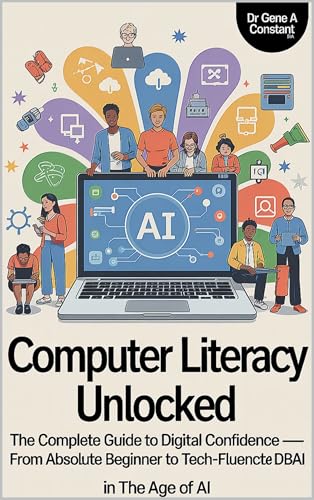
Computer Literacy Unlocked by Dr. Gene A Constant. This lesson comes from chapter seventeen. Read the whole book free in the reader, or keep a copy.
Buy a copy — it funds a free seat
GSU is a 501(c)(3) nonprofit and book sales are its only income. A purchase is not a tax-deductible donation. This lesson is free and always will be.